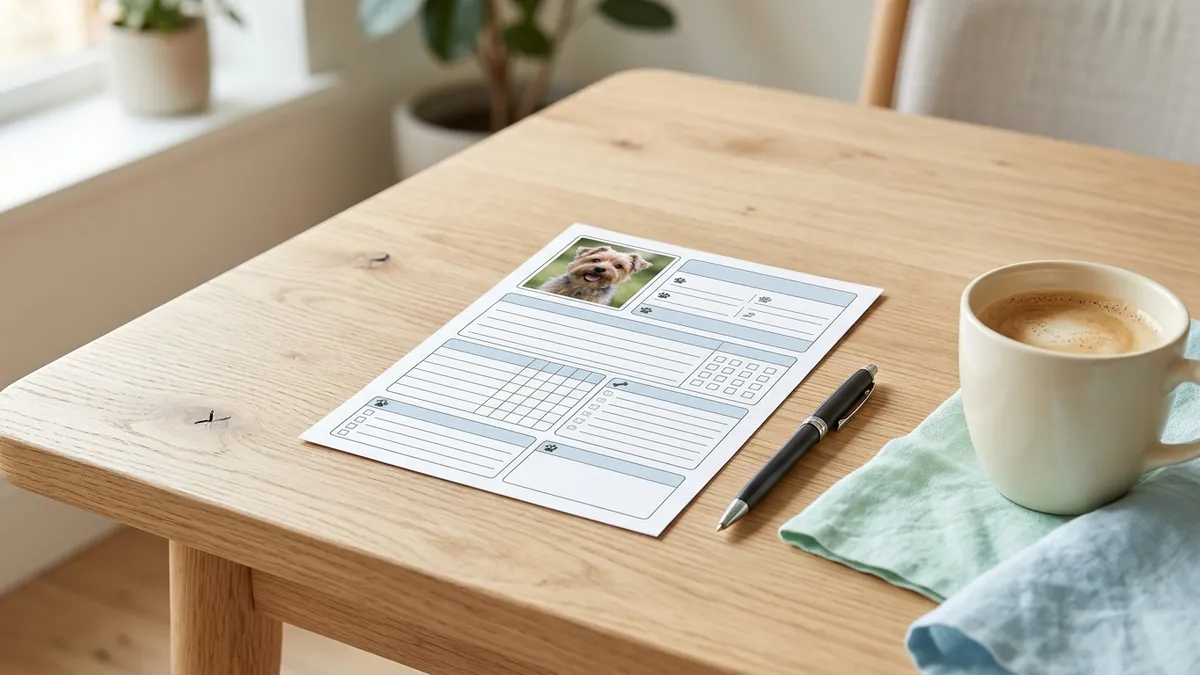
Short answer: a professional printable record fits on one page per pet and shows the pet, the owner, the vet, every vaccine with its next due date and key care notes. Copy the layout below, or print it straight from your records in Pawlio.
Why pet pros need their own record
The veterinarian’s certificate is the official proof, but it is written for the clinic: one vaccine per form, codes and lot numbers, often several pages a year. When you need to answer “is this dog covered?” you want a single summary page. It is useful to file in a binder, to hand to the owner, to leave with a client’s house notes or to send when an owner asks what you have on file.
What to include
| Section | Fields |
|---|---|
| Pet | Name, photo, species, breed, sex, color, birth date, weight, microchip |
| Owner | Name, phone, email, address |
| Veterinarian | Clinic or vet name, phone |
| Vaccines | Vaccine name, date given, next due date, status |
| Care notes | Allergies, medications, behavior, grooming or walk notes |
| Your business | Business name and the date the record was printed |
A layout you can copy
The weakness of any paper record is the “Next due” column: it does not warn you when a date passes. Re-check it every time you confirm a booking.
Print it in seconds instead
If the information is already in Pawlio, you do not have to fill in a template. Open a pet and print its record card or download it as a PDF — with the photo, the details and every vaccine — or select several pets and print their cards together, laid out to save paper. Because the card is generated from the live record, the status on it is always the current one.
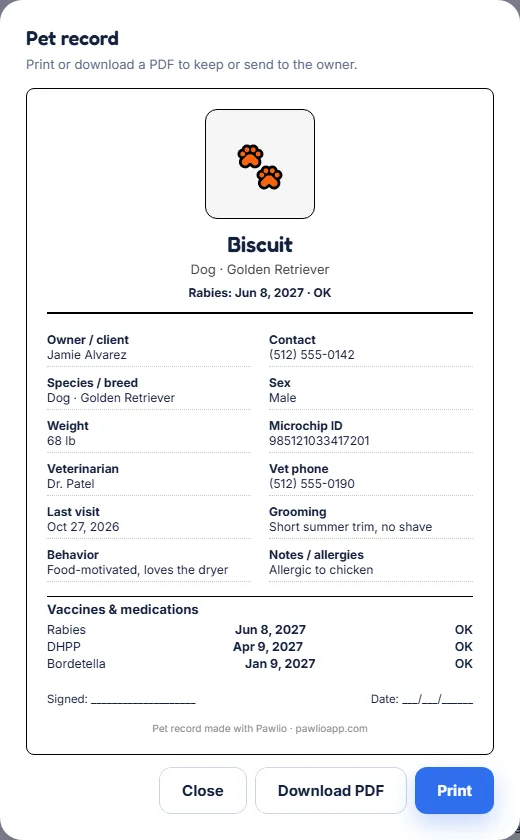
Keeping records in a spreadsheet today? See our vaccine tracking spreadsheet template and when it is time to move on from it.
Pawlio shows each pet as Up to date, Expiring soon or Overdue, and can email owners before a vaccine is due. Free for up to 3 pets.